

Best Habit Tracker for Desktop in 2026
If you work at a computer, you know the problem: most habit trackers are built exclusively for your phone.
Picking up your phone to log a habit is a dangerous game that leads straight to notifications and distractions. You need a beautifully designed tracker that lives right where you work—on your desktop—so you can log activities without breaking your flow.
If you want a tracker that respects your focus and looks great on your monitor, here are four of the best desktop-friendly habit trackers available in 2026.
1. Habitflow
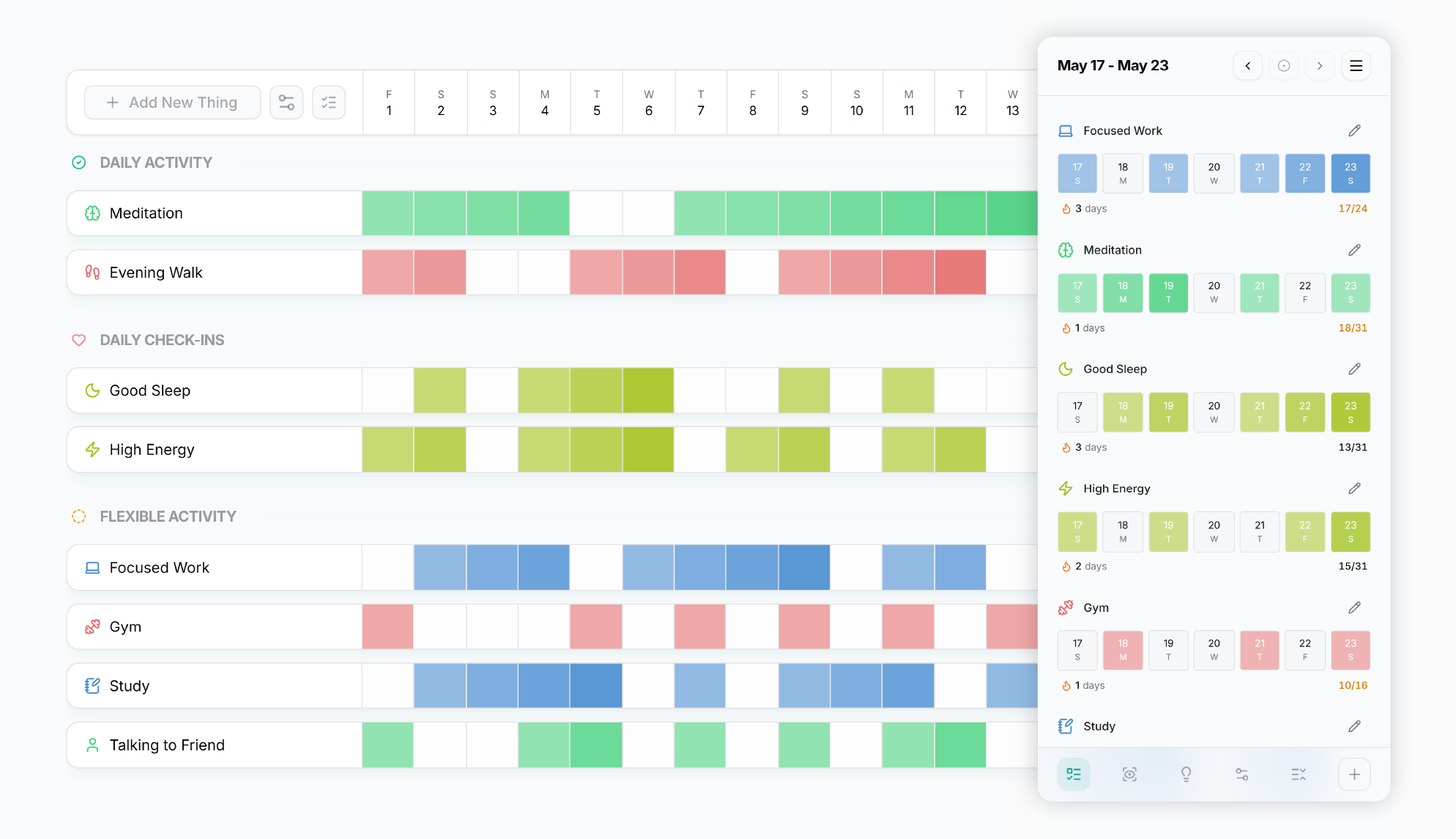
Habitflow is a habit and mood tracker built desktop-first, designed for people who spend most of their day at a computer. Unlike most habit trackers that treat the browser as an afterthought, Habitflow's layout is built around a larger screen from the ground up.
It tracks custom states — like energy levels, focus, or sleep quality — alongside habits, and surfaces how they correlate over time through a dedicated patterns page. It also includes optional end-to-end encryption for users who want their personal data to stay private, and a visual gradient streak trail that creates a beautiful rhythm.
Key Features
- Desktop-first layout
- Custom named state tracking (energy, focus, sleep quality, etc.)
- Patterns page — habit and state correlation over time
- Visual gradient streak trail
- Custom icons and labels
- Grouping and sorting by time of day, label, type, or status
- Optional end-to-end encryption
- JSON data export
- 7-day free trial, no credit card required
2. Habitify
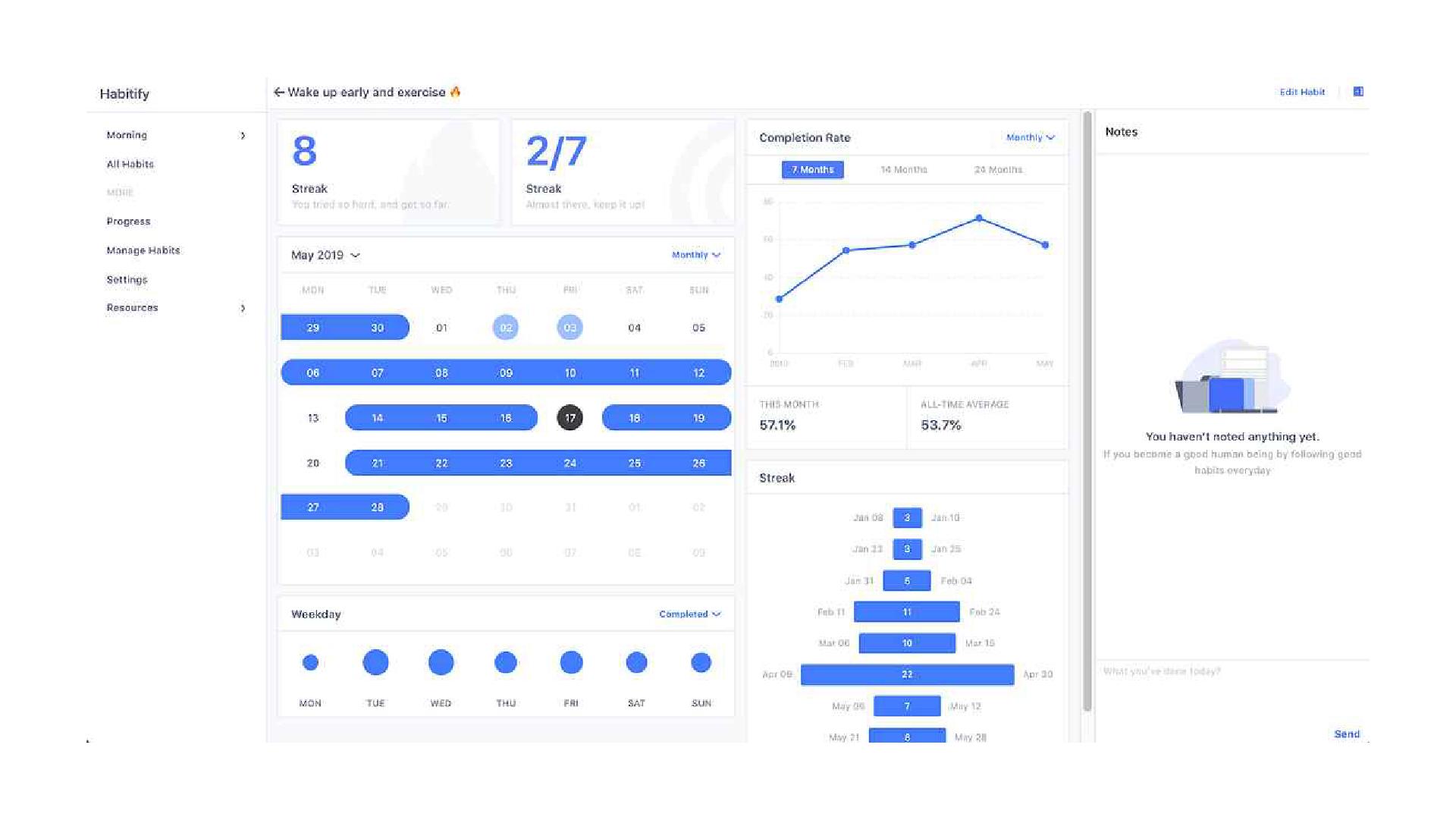
Habitify is one of the most established habit trackers available. It takes a structured, schedule-based approach — organizing habits by time of day across morning, noon, and evening — making it well suited for people who want their habits integrated into a daily routine. It supports a wide range of platforms including iOS, Android, Mac, Windows, Apple Watch, and web, and offers deep integrations with health and productivity tools.
Key Features
- Native apps for iOS, Android, Mac, Windows, and Apple Watch
- Time-of-day habit scheduling (morning, noon, evening)
- Built-in timer and quantity/duration tracking
- Advanced reminders with habit stacking and location-based triggers (Pro)
- Apple Health, Google Fit, and Calendar integrations (Pro)
- API access and Zapier/IFTTT automation (Pro)
3. Everyday
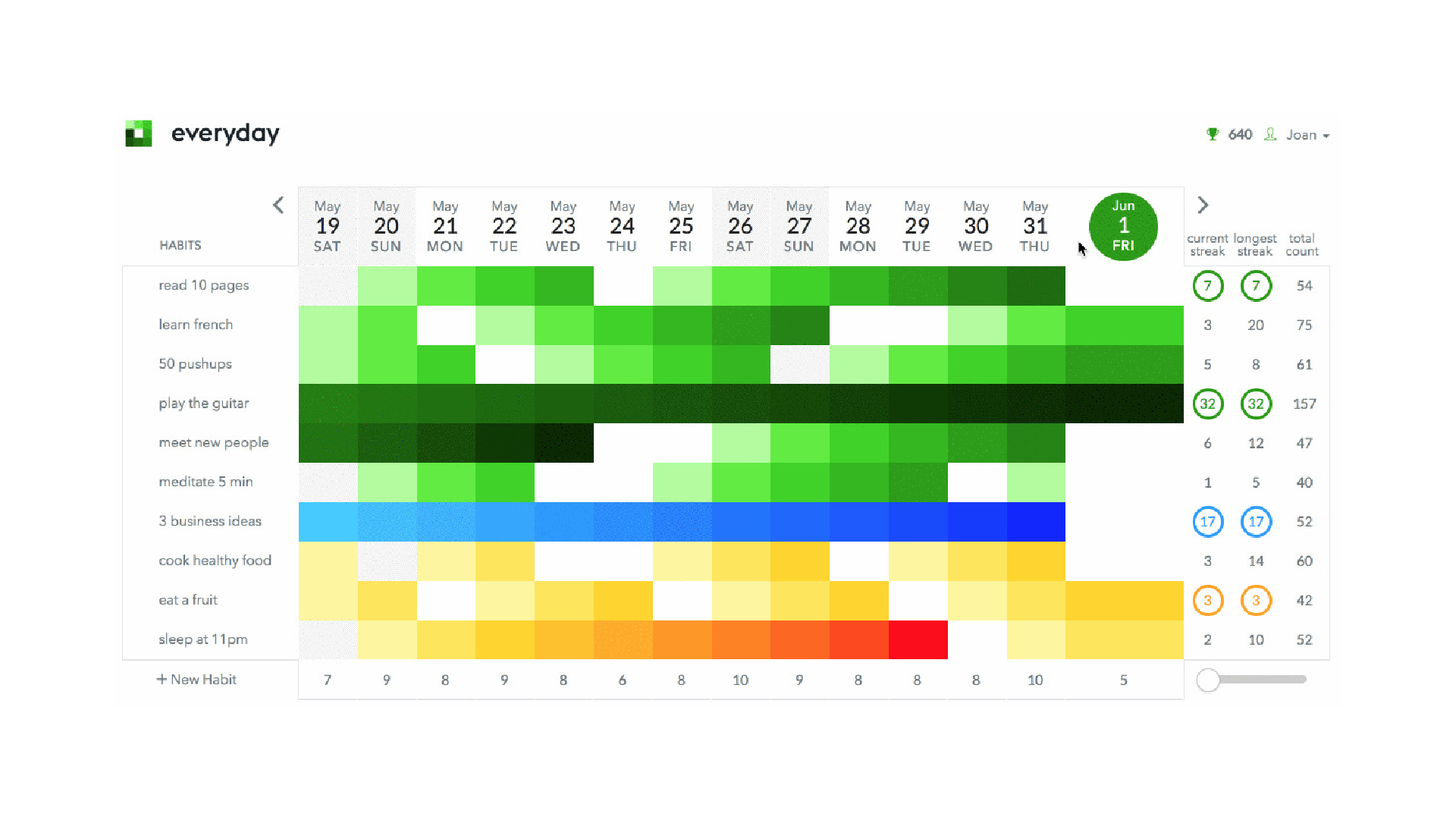
Everyday is a visual habit tracker built around the idea of not breaking the chain. It's available as a web app and native iOS and Android apps, with a clean board-style layout that makes your streak history the centerpiece. It keeps tracking simple — no mood logging, no analytics beyond basic stats — and focuses on showing up consistently every day.
Key Features
- Visual streak chain effect
- Reminders via email and push notifications (free)
- Habit insights and full history (Pro)
- Dark mode (Pro)
4. DailyHabits
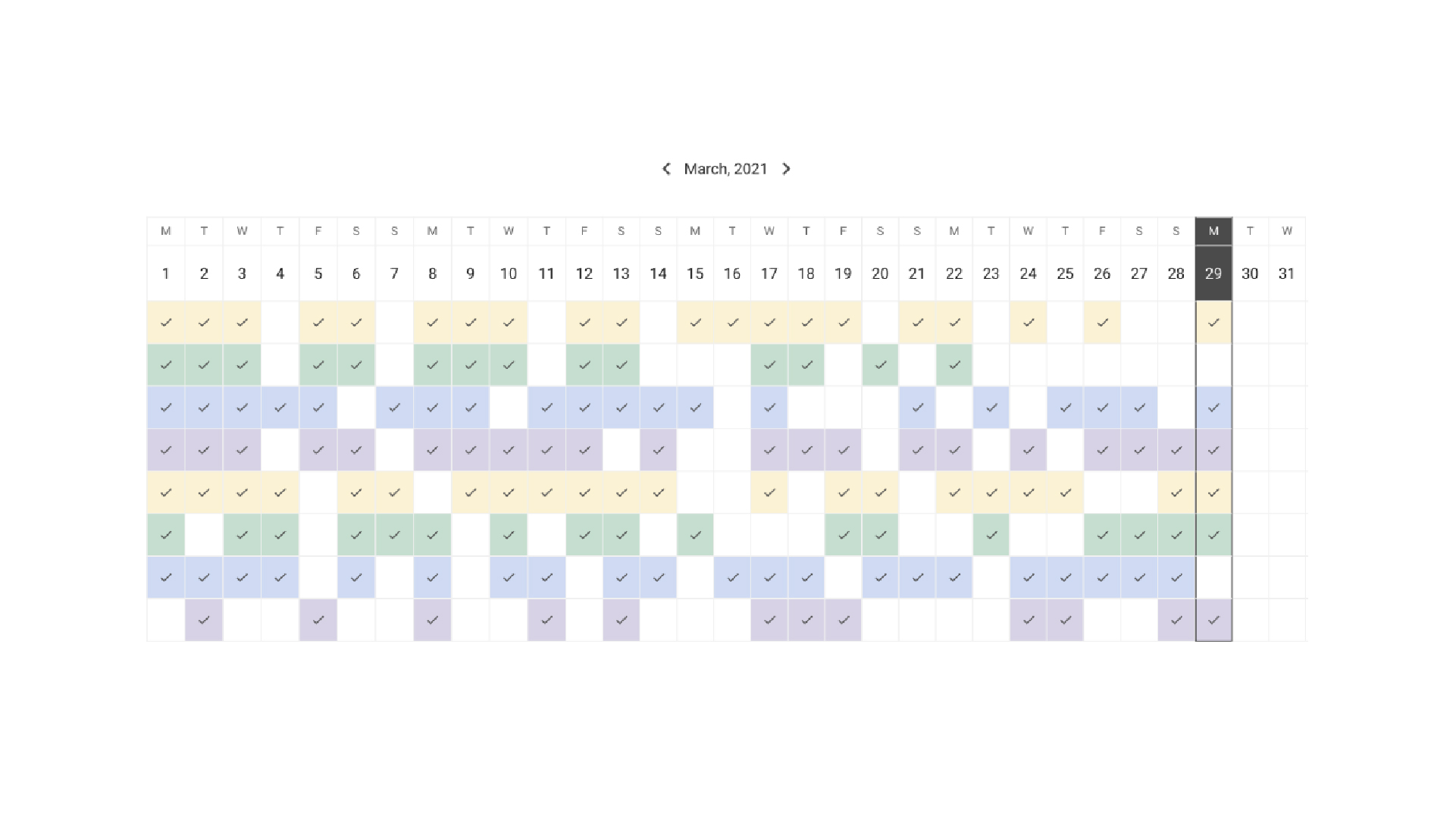
DailyHabits is a browser-based habit tracker built entirely around simplicity. It uses a monthly calendar view and focuses on flexible consistency goals rather than streaks, which makes it more forgiving when life gets in the way.
It also lets you add short notes to each habit entry for reflection. There's no mood tracking, no analytics beyond the calendar view, and no reminders — but for users who just want to show up and check a box without any friction, it does that well. Cross-device sync and dark mode require a paid plan.
Key Features
- Flexible consistency goals instead of streaks
- Notes per habit entry
- Dark mode (Pro)
- Native iOS and Android apps (Pro)
Comparison Table
| Feature | Habitflow | Habitify | Everyday | DailyHabits |
|---|---|---|---|---|
| Platform | ||||
| Web app | ✅ | ✅ | ✅ | ✅ |
| Desktop app | PWA | ✅ | PWA | ❌ |
| Mobile app | PWA | ✅ | ✅ | PWA |
| Cross-device sync | ✅ | ✅ | ✅ Pro only | ✅ Pro only |
| Tracking | ||||
| State / mood tracking | ✅ | ✅ | ❌ | ❌ |
| Goal setting per habit | ✅ | ✅ | ➖ | ✅ |
| Time of the day | ✅ | ✅ | ❌ | ❌ |
| Quantity / duration tracking | ❌ | ✅ | ❌ | ❌ |
| Reminders | ❌ | ✅ | ✅ | ❌ |
| Notes | ❌ | ✅ | ❌ | ✅ |
| Customization | ||||
| Custom icons | ✅ | ✅ | ❌ | ❌ |
| Custom colors | ✅ Pro only | ✅ | ✅ | ❌ |
| Labels | ✅ Pro only | ✅ Pro only | ✅ Pro only | ❌ |
| Grouping by | ✅ | ❌ | ❌ | ❌ |
| Dark mode | ✅ | ✅ | ✅ Pro only | ✅ Pro only |
| Integrations | ||||
| Health, Calendar & API | ❌ | ✅ Pro only | ❌ | ❌ |
| Insights | ||||
| Statistics | ✅ Pro only | ✅ Pro only | ➖ | ❌ |
| Patterns | ✅ Pro only | ❌ | ❌ | ❌ |
| Privacy & Data | ||||
| End-to-end encryption | ✅ Optional | ❌ | ❌ | ❌ |
| Data export | ✅ | ✅ Pro only | ❌ | ❌ |
| Pricing | ||||
| Free plan habit limit | 3 habits | 3 habits | 3 habits | 3 habits |
| Pro plan trial | ✅ 7 days | ❌ | ❌ | ❌ |
| Annual pricing | $29.99 / year | ~$30 / year | $30 / year | $29 / year |
| Lifetime option | $59.99 | $120 | $99 | $199 |
Which Desktop Habit Tracker Should You Choose?
The right choice depends entirely on your specific needs and what motivates you to build a routine:
- Choose Habitflow if you are a power user or privacy-conscious individual who wants a desktop-first app to understand the deeper connection between your habits, energy, and mood.
- Choose Habitify if you want a comprehensive, traditional tracker with robust ecosystem integrations (like Apple Health and Google Calendar) and detailed quantity-based goals.
- Choose Everyday if you are a visual thinker who is primarily motivated by "not breaking the chain" and prefer a highly visual, color-coded board over detailed charts.
- Choose DailyHabits if you want an ultra-minimalist, distraction-free tracker that provides only the absolute core features needed to build a routine.
For users who spend most of their day on a computer, choosing a browser-first or desktop-native habit tracker will significantly reduce friction and help you maintain your habits consistently without reaching for your phone.